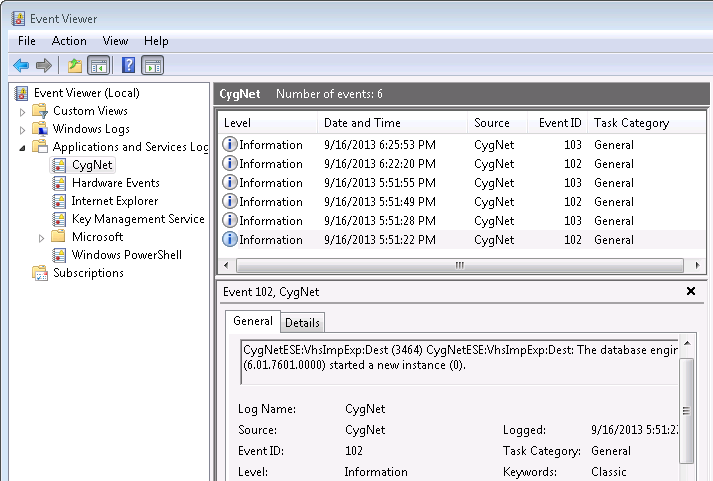
The Value History Service’s datastore uses a Windows Event Log to report ESE-specific database activity, in addition to the standard CygNet log file produced by the VHS. For example, starting and stopping a database instance is logged to the event log by ESE. Other messages about CygNet’s usage of ESE will be logged to the CygNet log file, such as failure to detect a history.edb datastore on startup.
The system event log may be viewed with the Windows Event Viewer (navigate to Applications and Service Logs > CygNet).
There are different types of events that are reported to the event log. When the VHS starts or stops it reports an event with a level of "Information" indicating that the database engine has started or stopped. If an error is encountered by the datastore engine, an event will be created with a level of "Error." An example of a possible error is: "There is not enough space on the disk."
|
|
|

